


왕초보 가이드
[가입방법] OKX Wallet: Web3 Registration Guide
!! Sign Up for OKX Wallet !!
Open the sign-up link → https://web3.okx.com/join/ILOVEJADOODOO
(Since there is no separate field to enter a referral code, you must sign up through the link for the referral to be applied.)
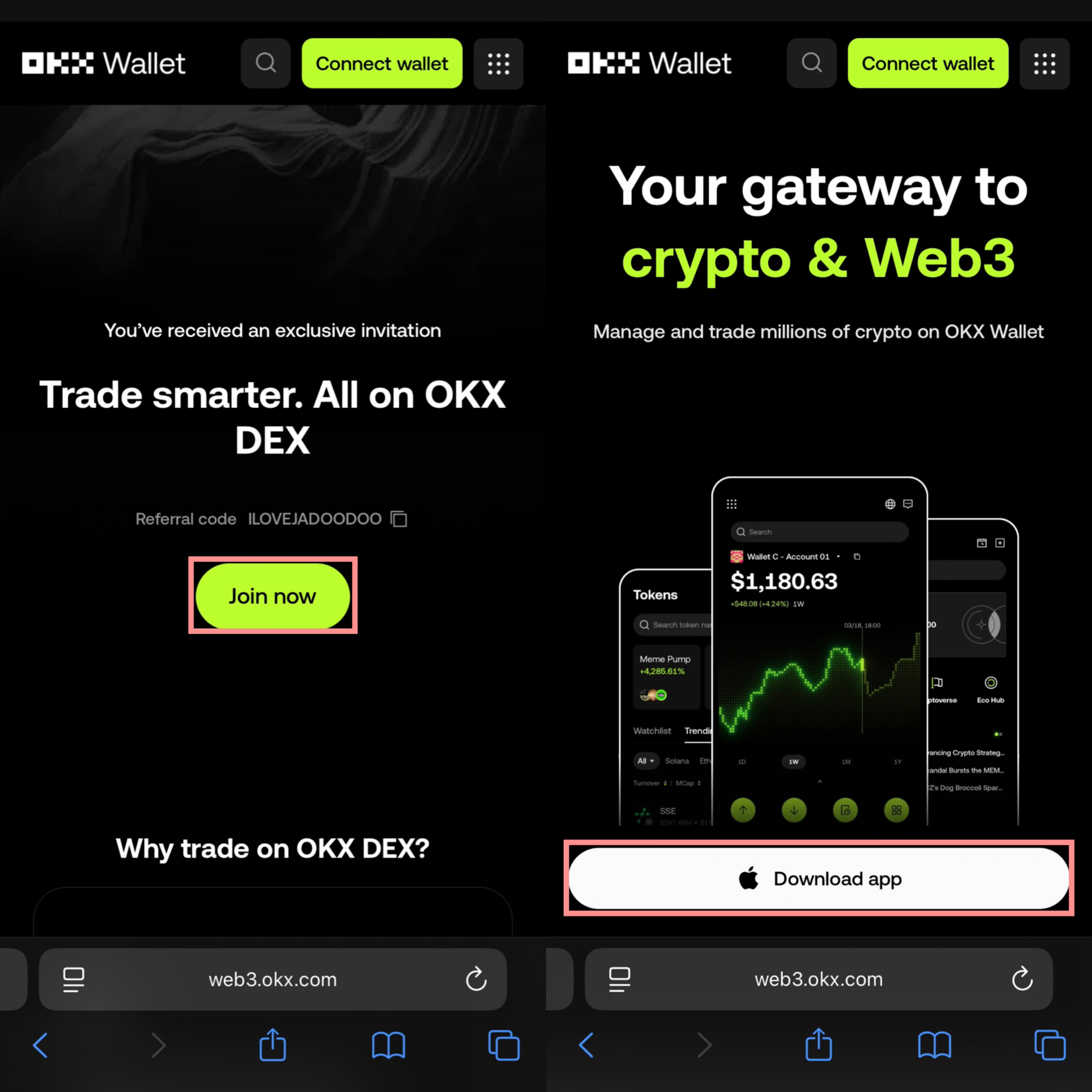
After accessing the link, click “Join Now”, then download the app.
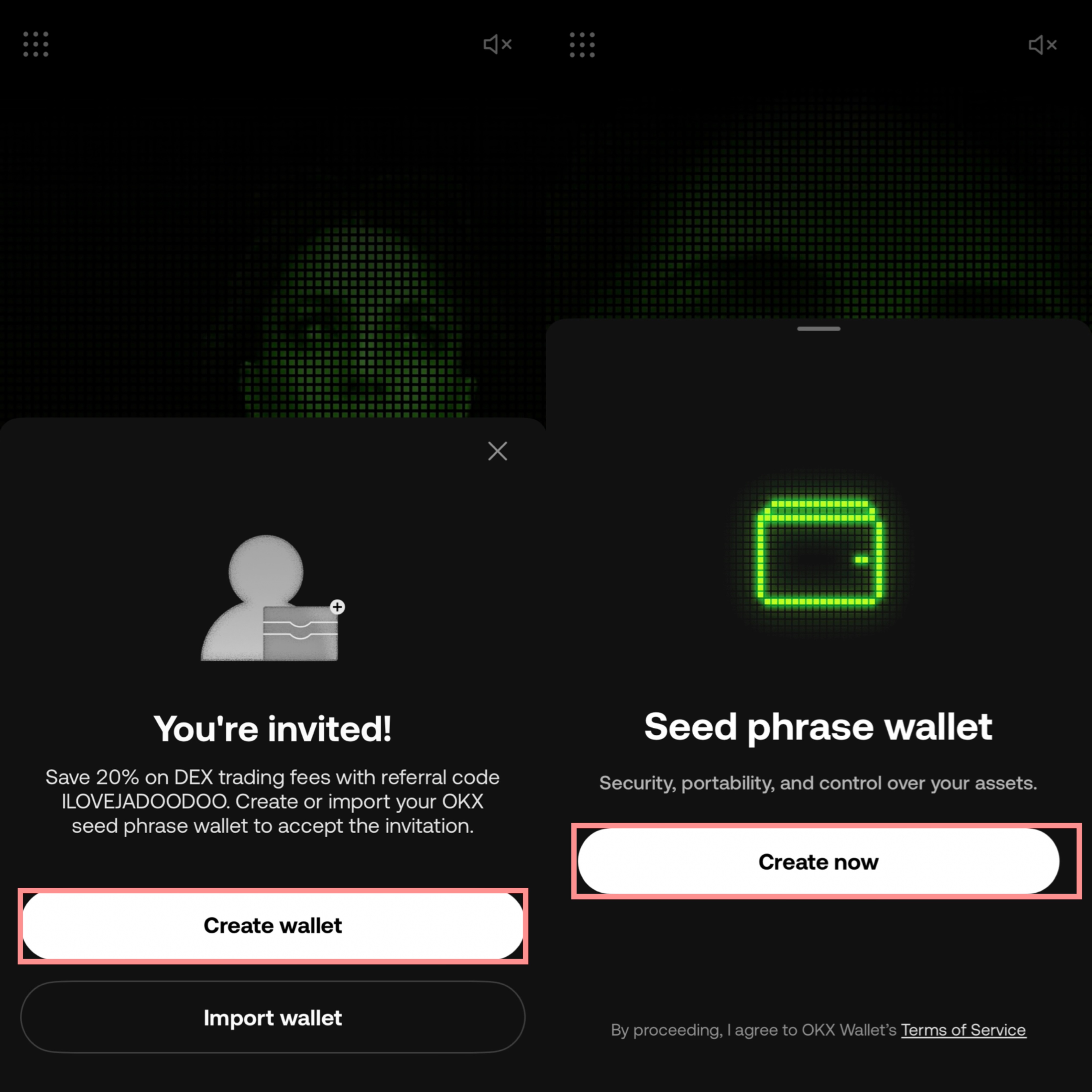
Click “Create Wallet”, then click “Create Now.”
[Import Wallet (Load an Existing Wallet)]
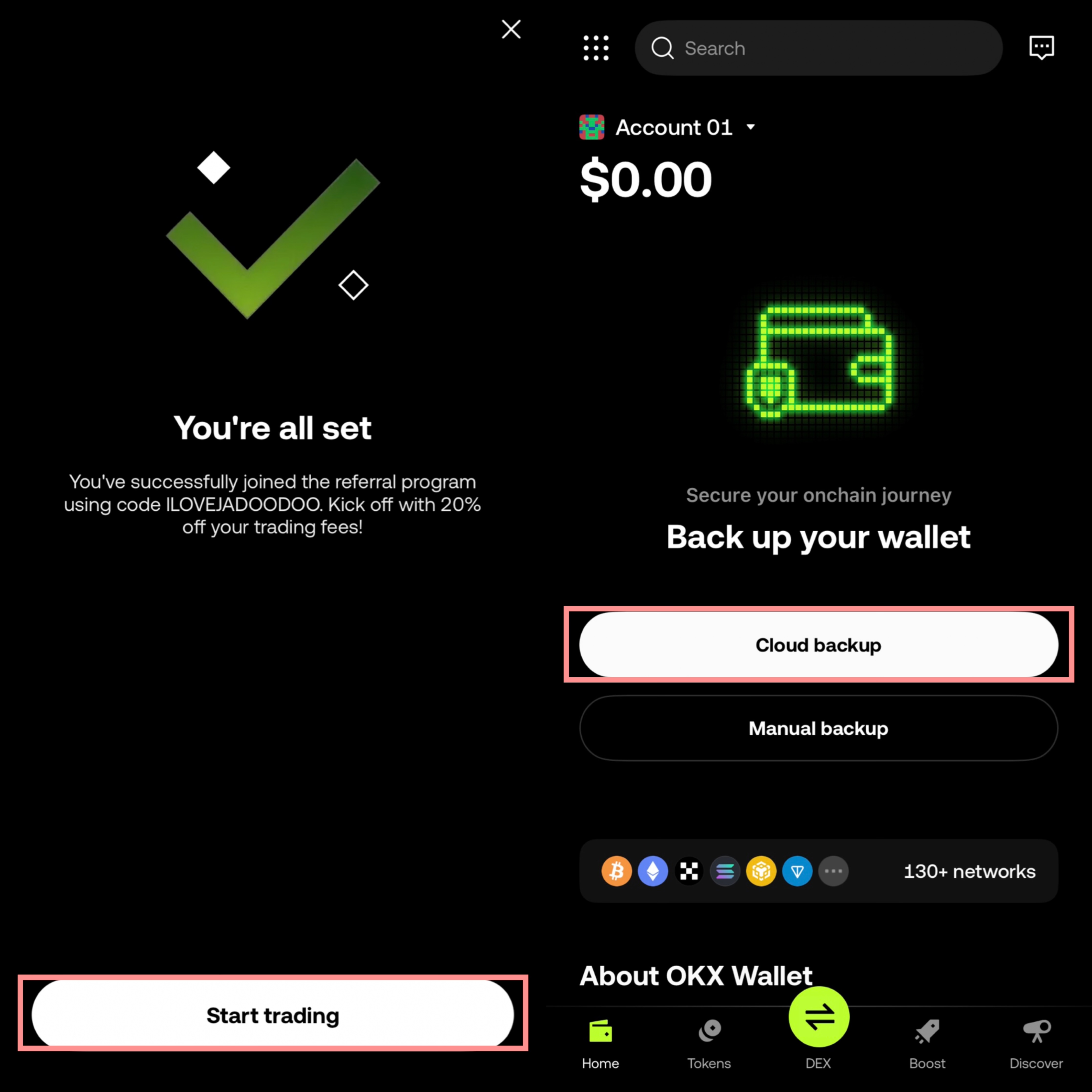
Click “Start Trading”, then click “Cloud Backup.”
[Manual Backup]
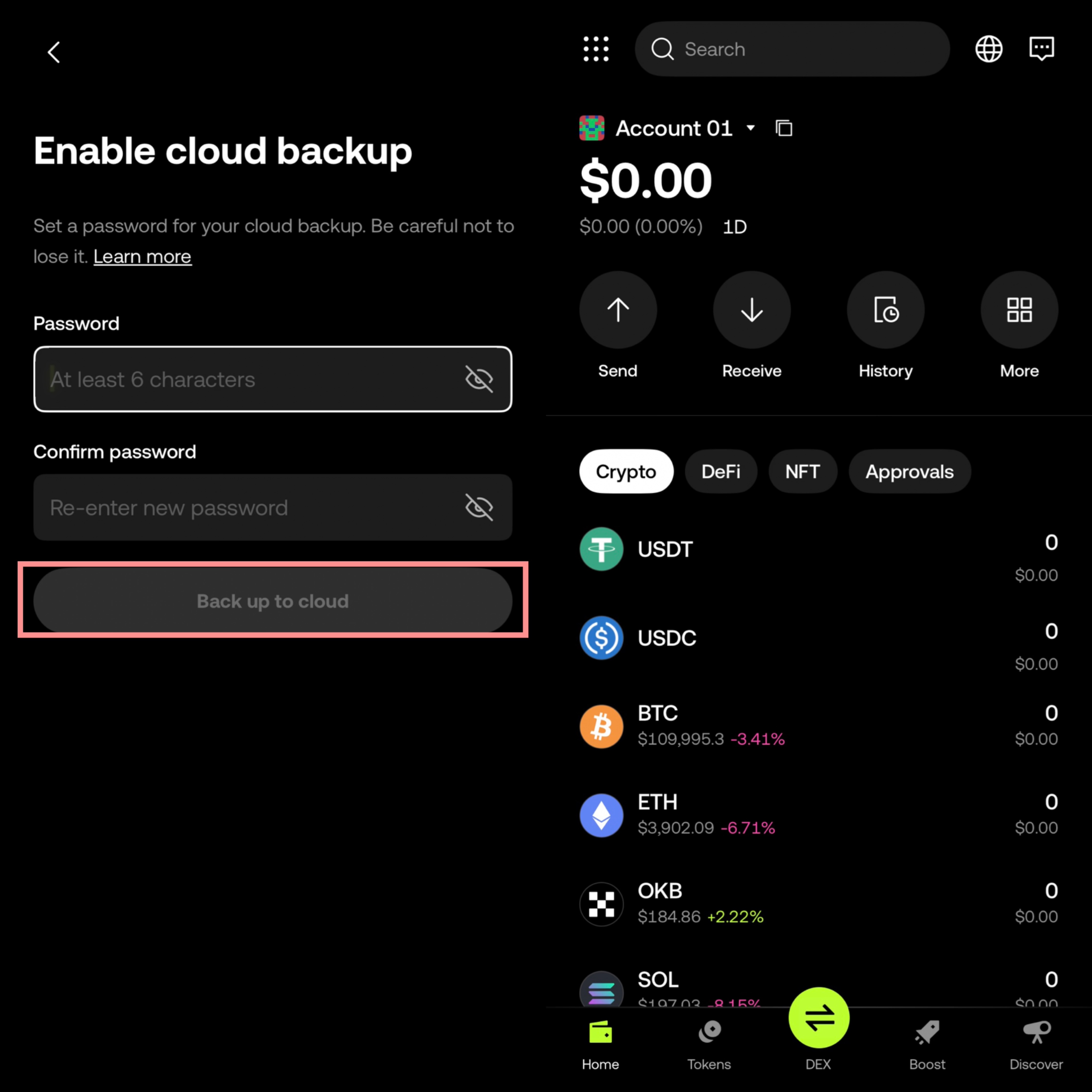
Enter a password of at least 6 characters to use for cloud backup, then click “Back up to Cloud.”
Registration complete!
Check Your Referral Registration → https://web3.okx.com/referral
(If it is not registered, click “Enter referral code” and enter “ILOVEJADOODOO”!)